The email admin console built for the owner.
Opalmail's admin area is one screen where the person in charge adds people, sets storage, checks the domain and reads the history. It is written in plain language, with no command line.
Full control of your company's mail, on one screen. Built for the owner, not for an engineer.
Everything below is a real screen of the admin area.
Click a screen to open it
01 / 05
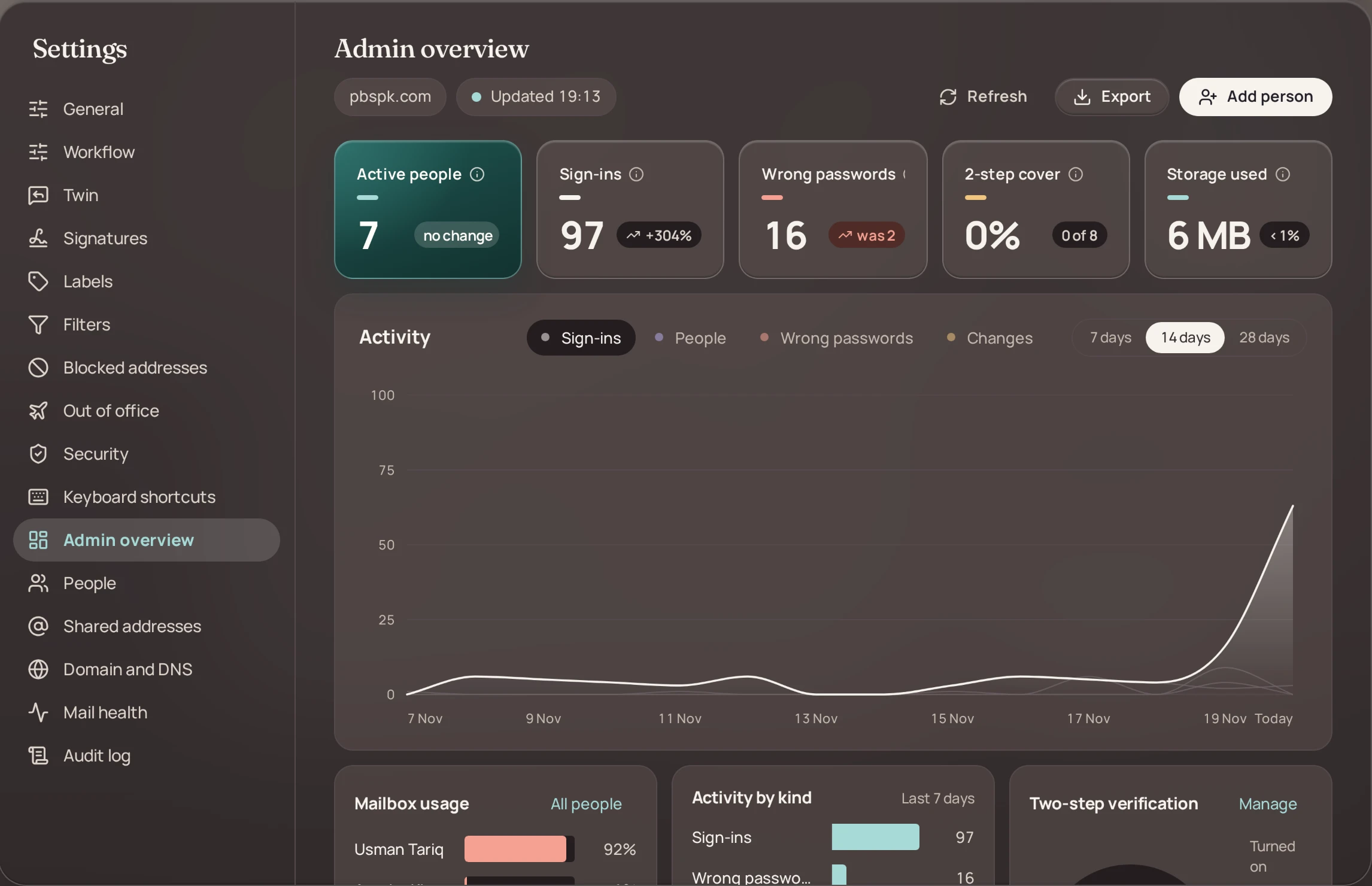
See the whole company at a glance
Active people, sign-ins, wrong passwords, two-step cover and storage, with a chart by day.
- Who is active and how much storage is used
- Wrong passwords stand out the day they happen
- How many people have two-step turned on
02 / 05
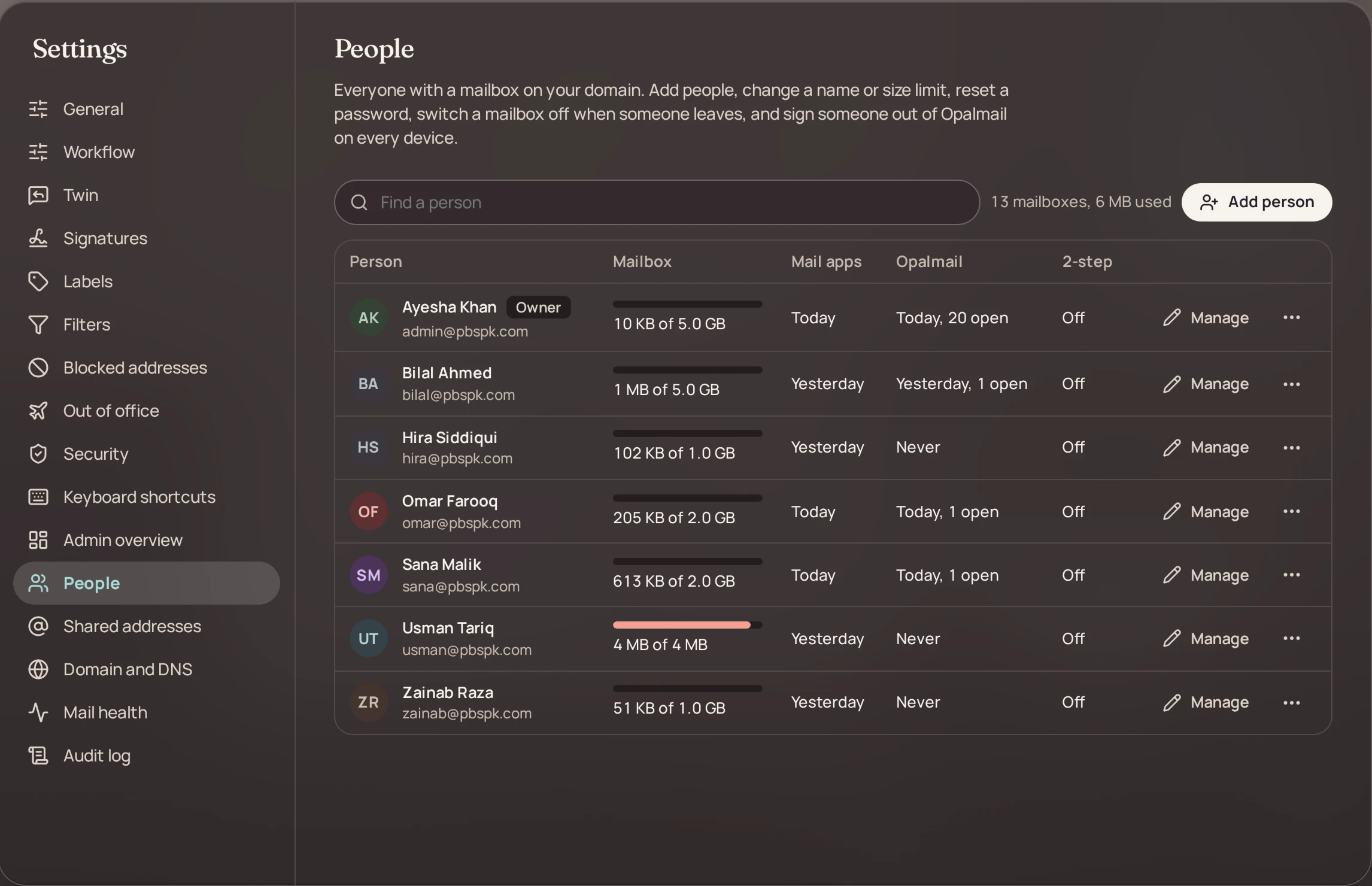
Add, change or switch off a mailbox
Add a person, set their storage, reset a password, or switch a mailbox off when someone leaves.
- A new colleague gets an address in a minute
- Set storage for each person
- Reset a forgotten password yourself
03 / 05
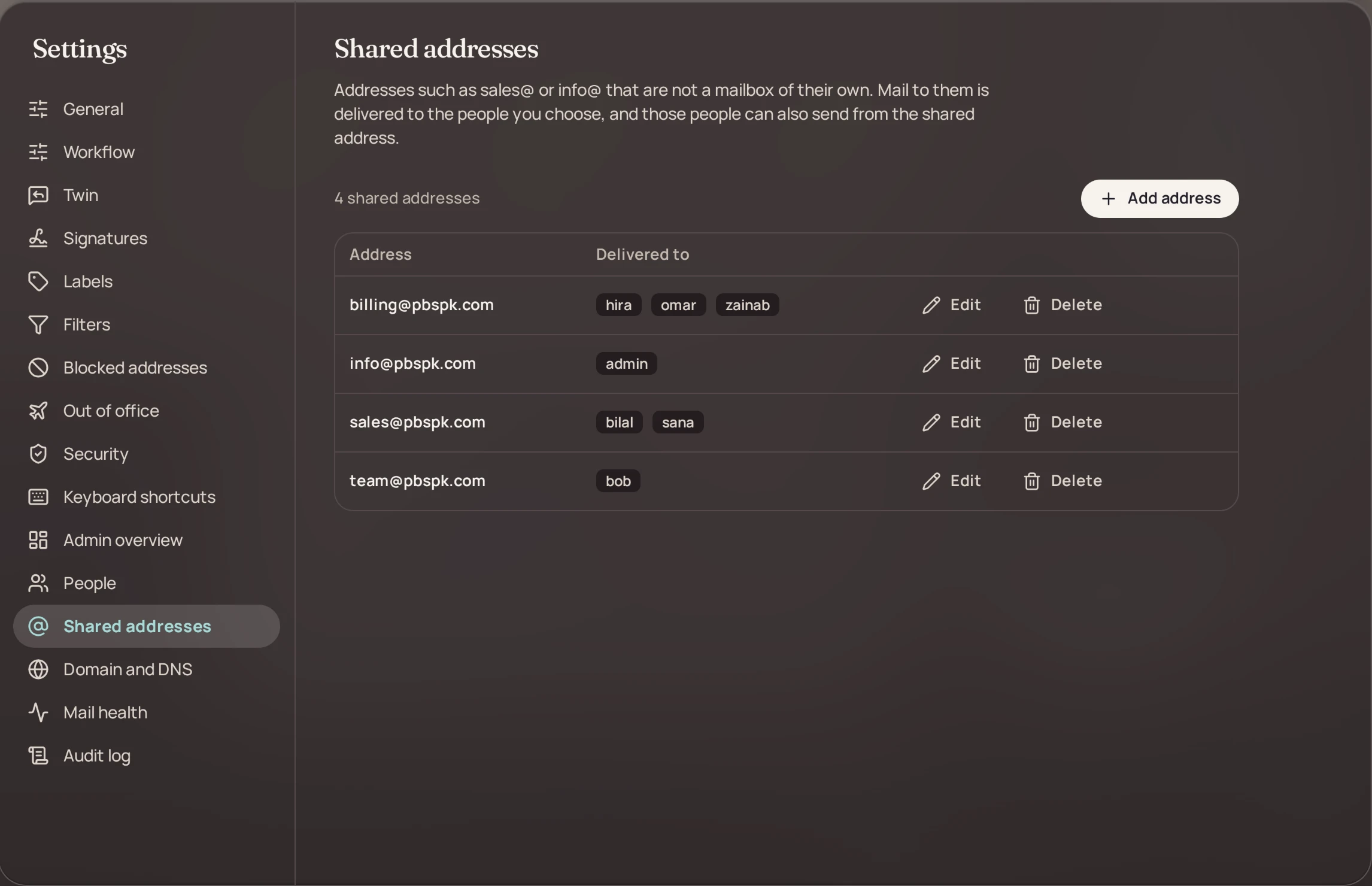
One address, the right people
Addresses like sales@ and info@ that deliver to the people you choose.
- sales@, info@ or any name you need
- Choose who receives each one
- Change the list when the team changes
04 / 05
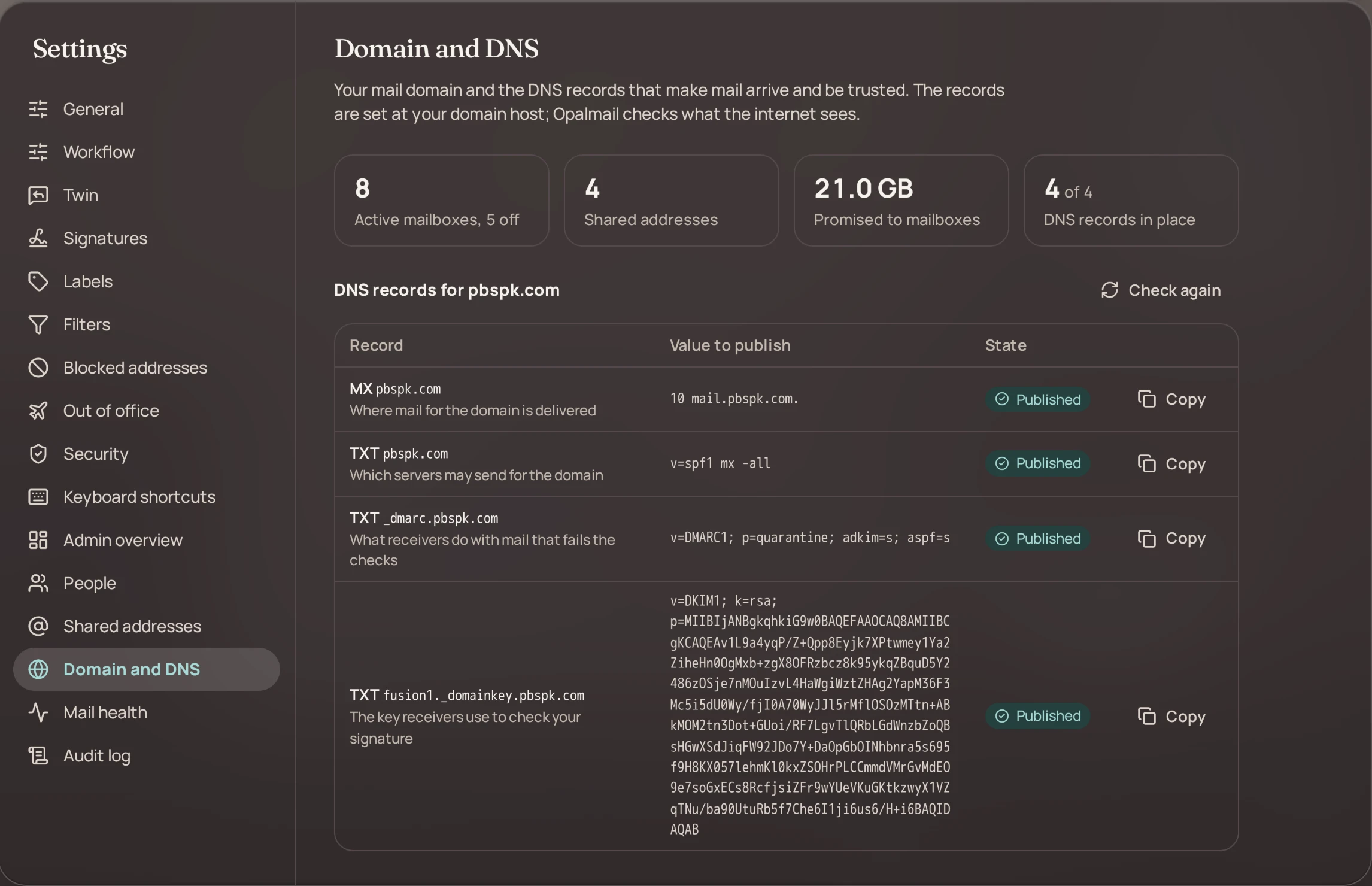
Know your domain is set up right
A live check of the records your domain needs, with what is missing.
- MX, SPF, DKIM and DMARC in one list
- Shows what the internet sees today
- Tells you plainly what is missing
05 / 05
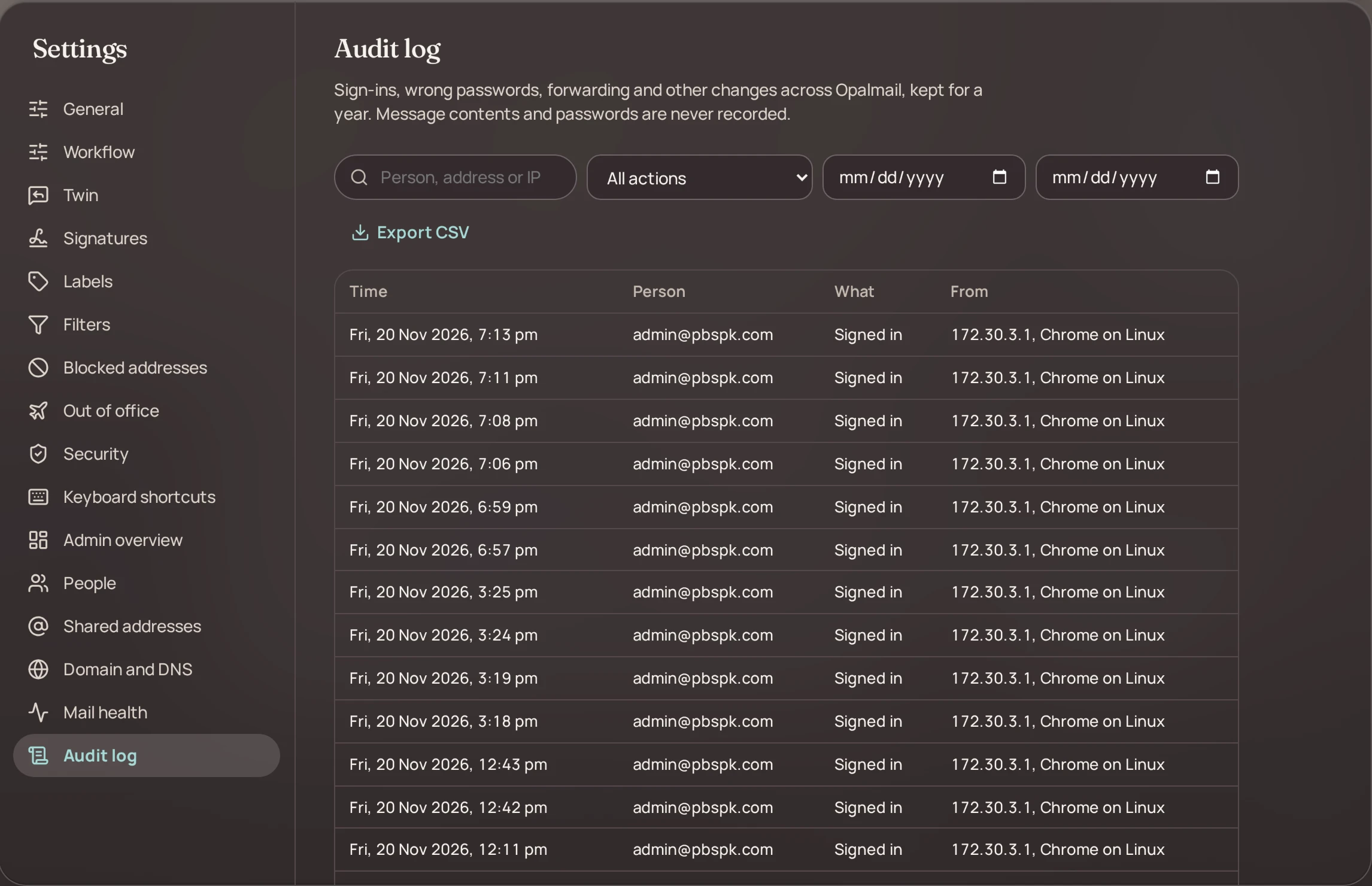
A record you can trust
Sign-ins and changes kept for a year. Message contents and passwords are never recorded.
- Who signed in, and when
- Every admin change is listed
- Kept for a year
- 1screen for people, addresses, domain and history
- 4DNS records checked live: MX, SPF, DKIM, DMARC
- 365days of sign-in and change history
- 0message contents or passwords in the log
Every job, without calling an engineer. Items marked On the way are being built and are not in the product yet.
Add and remove people
Give a new colleague an address, set how much storage they get, and switch the mailbox off the day they leave.
Reset a password yourself
No ticket and no waiting. The owner resets a forgotten password from the People screen.
Shared addresses
sales@, info@ or accounts@ deliver to the people you choose, and you change that list any time.
Domain and DNS check
MX, SPF, DKIM and DMARC are checked against what the internet sees, with the missing record named.
Audit log
Sign-ins and admin changes are kept for a year. Message contents and passwords are never recorded.
Two-step cover
See how many people have two-step sign-in turned on, and require it for everyone.
Groups and distribution lists
One address that reaches a whole team, managed like a list.
On the waySpam quarantine for admins
Look at held mail and release what was caught by mistake.
On the wayAdd people from a file
Create many mailboxes at once from a spreadsheet.
On the wayForwarding set by the admin
Send a leaver's mail on to the colleague who takes over.
On the way
Tell us your size. We send a clear quote.
There is no price list to decode. A quote is made for your company: how many mailboxes, and who runs the server.
Good to know.
Something else on your mind? Ask us by email or WhatsApp and you get a plain answer.
Ask usWho is the admin area for?
For the owner or the person in charge. It shows people, shared addresses, the domain check and the audit log on one screen, in plain language. No command line is needed.
Do we need an IT person to use the admin area?
No. The admin area is made for an owner or office manager. Adding a person, resetting a password and reading the domain check are all done with buttons, in plain words.
What does the domain check look at?
It looks up the MX, SPF, DKIM and DMARC records of your domain the way the rest of the internet sees them, and tells you which are published and which are missing.
What does the audit log record?
Sign-ins and changes made in the admin area, kept for a year. It does not record the contents of messages or any passwords.
Can you run it for us?
Yes. If you do not want to look after a mail server, DevFusion Tech sets it up, keeps it updated and watches it for you.
Your mail. Your server. Ready when you are.
See it with your own domain in a short demo. We answer by email or WhatsApp.